
Chaos Arena
Custom duel lobbies — set bet, team size, rounds and map, invite friends, claim rewards. Rise of Chaos exclusive.
The Chaos Arena is a first in 12 Sky 2 history: a custom duel-lobby system built by Rise of Chaos. Create a lobby, set the bet, pick team size and rounds, invite players (or wait for opponents), and claim rewards from the match-history screen when you win.
Quick Facts
- Team sizes: 1v1, 2v2, 3v3, 4v4, 5v5
- Match formats: BO1 / BO3 / BO5 / BO7 / BO9
- Bet currencies: Silver · CP · DP · Blood Mark · Scrap
- Maps: Hall of 4 Winds · Circuit Valley (more coming soon)
- Spectators: Allowed by default, can be toggled off
- Rewards: Winner claims directly from Match History
Note: Chaos Arena is still being tuned, so only two maps are enabled for now: Hall of 4 Winds and the newly added Circuit Valley. More maps, Ranked Queue and Auto-Tournament features are planned for future updates.
The Circuit Valley boss gives no drops inside Chaos Arena. Here the map is only a duel arena, the monster standing in the middle is scenery and drops nothing. Every Circuit Valley drop comes from the raid runs, see Circuit Valley.
Accessing Chaos Arena
A new Chaos Arena button has been added above the hotkey bar (or use the assigned shortcut). Pressing it opens the main hub.
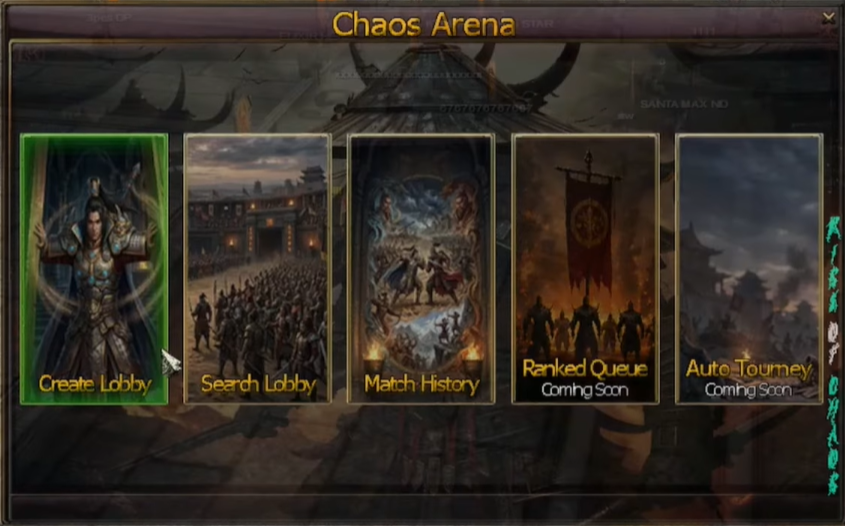
From the hub you can:
- Create Lobby — open your own duel room.
- Search Lobby — browse public lobbies, filter and join.
- Match History — review past matches and claim rewards.
Coming soon: Ranked Queue and Auto-Tournament tiles are visible but not yet active.
If you're already inside an active match, pressing the button returns you to the arena rather than re-opening the hub.
Creating a Lobby
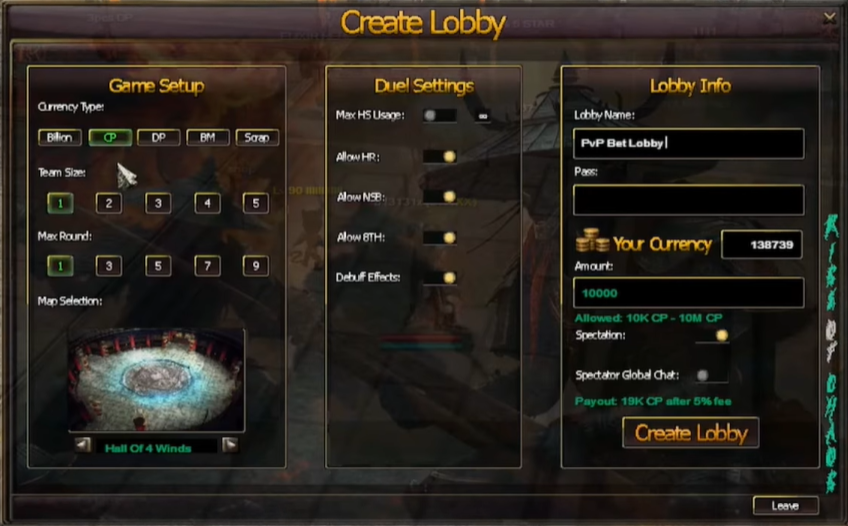
Pressing Create Lobby opens the configuration screen. Every setting is tuned to taste before the lobby is published.
| Setting | Options |
|---|---|
| Lobby name | Free text — make it catchy to attract players |
| Password | Optional 6-digit code; share with friends only |
| Bet currency | Silver · CP · DP · Blood Mark · Scrap |
| Bet amount | Numeric input, per chosen currency |
| Team size | 1v1, 2v2, 3v3, 4v4, 5v5 |
| Round count | BO1, BO3, BO5, BO7, BO9 |
| Map | Hall of 4 Winds · Circuit Valley |
| Spectators | Toggle on/off |
| Spectator chat | Toggle on/off |
System Fees
When setting up the match, the lobby UI shows the fee deduction before you confirm. Fees applied to the reward pool:
| Currency | Fee |
|---|---|
| DP · Blood Mark | 10% |
| CP · Silver · Scrap | 5% |
The Lobby Window
Once the lobby is published, players (or invited friends) can fill the slots. Below is a published 1v1 · BO1 · 10k CP lobby:
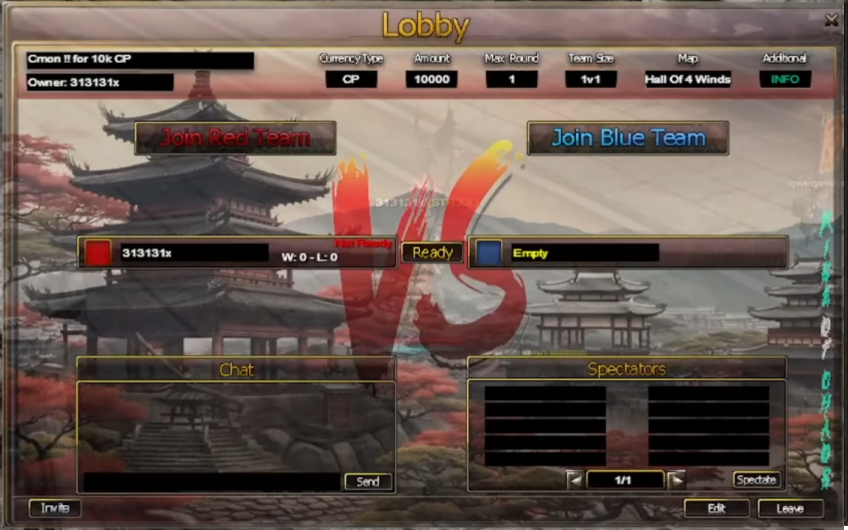
Inside the lobby:
- Chat with other players in the lobby panel.
- Spectator seats — sit out and just watch the duel instead of fighting.
- Ready up — once everyone presses Ready, the lobby owner can start the duel at any time.
- Edit settings — the owner can use the edit button (bottom right) to update settings while players are still in the lobby. After changes, players must agree by pressing Ready again before start.
- Kick — the owner can kick fighters or spectators.
- If settings change and no longer fit current participants (e.g. team size shrinks), extra fighters are automatically moved to spectators.
Inviting Players
You can invite a specific player to your lobby instead of leaving it open.
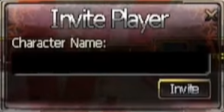
When you send an invitation, the invited player gets a notification envelope at the top right of their screen:
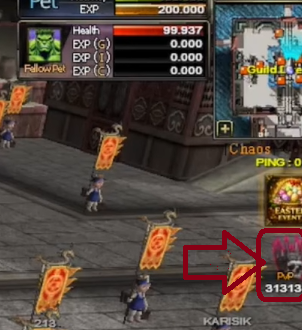
Clicking the envelope opens the full invite popup with Accept / Decline:
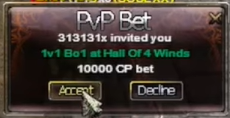
The envelope shows all match details — owner, team size, format, map and bet info — so you know exactly what you're joining.
Up to 5 envelopes can show at once. Extra invites wait in a queue. Closing the popup keeps the invite available until you decline it.
Searching Lobbies
Don't want to wait? Browse open lobbies from the Search Lobby screen.
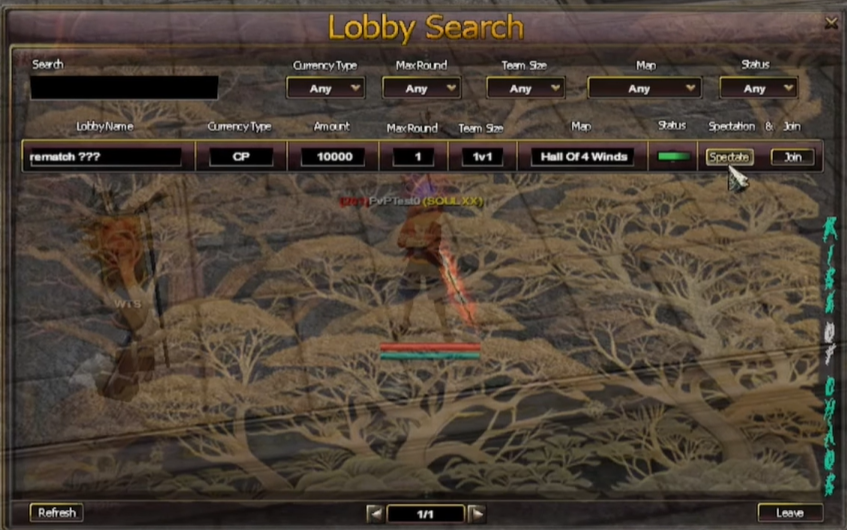
From here you can:
- Filter lobbies by team size, format, bet currency, etc.
- Join an open lobby (password-protected lobbies require the code).
- Spectate a lobby in progress — watch live duels without participating.
Entry Restrictions
- Players cannot join from restricted active PvP areas.
- GM characters can spectate matches for moderation purposes.
Match Flow & Restrictions
Once the owner starts the match:
- Bets are locked — no take-backs.
- Players are teleported to the chosen arena map.
- Red and Blue teams fight through the configured rounds.
- When the duel ends, all participants are teleported back to the city.
If a player disconnects or leaves unexpectedly, the system safely handles the result to prevent reward abuse.
Restrictions inside the arena
- Return / teleport scrolls are blocked.
- Duel · Friend · Trade · Party · Guild requests are disabled.
- The Chaos Arena menu is locked during a match, except for the Return to Active Match action.
Spectating
- Spectators watch the live match but do not participate in rewards.
- The owner can remove spectators before the match starts.
- If the owner disables spectating mid-lobby, spectators are automatically kicked.
- Spectator chat can be toggled on/off by the lobby owner.
Match History
The Match History tab lists every match you took part in.
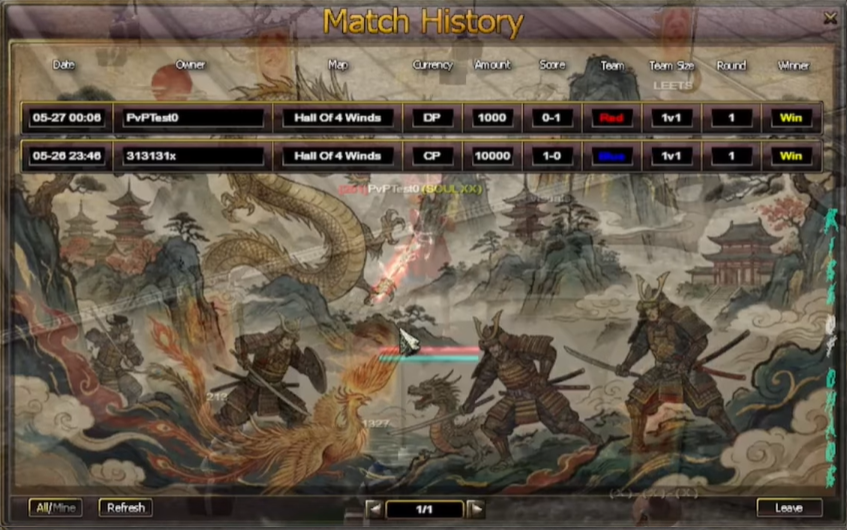
Controls:
- Filter — view all completed matches or only your own.
- Refresh — pull the latest list.
Click any match to open the Match Detail view:
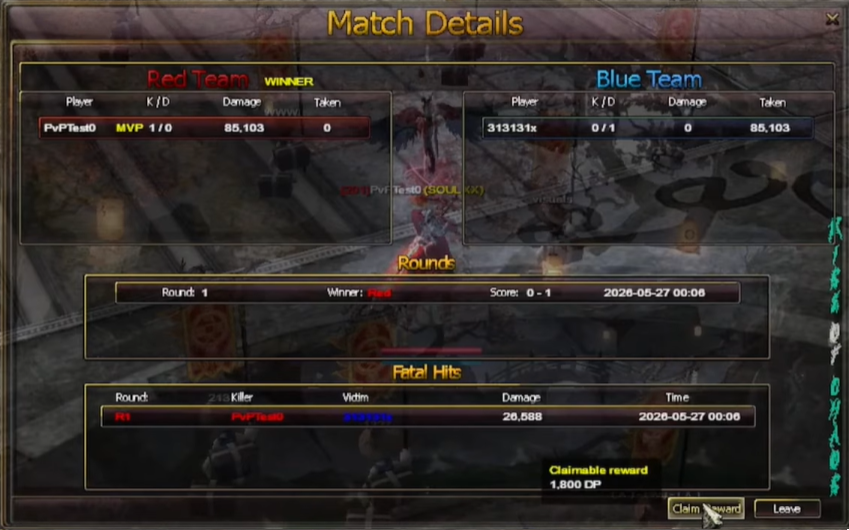
Match Detail shows:
- Red & Blue team members and final score.
- Kills / Deaths per player.
- Damage dealt / taken per player.
- Round winners and fatal hit records.
- Match time and reward claim status.
Claiming Rewards
If you won the duel, press Claim Reward on the Match Detail page to collect your prize.
- Only the participating winning character can claim that reward.
- Records are tracked to prevent duplicate claims.
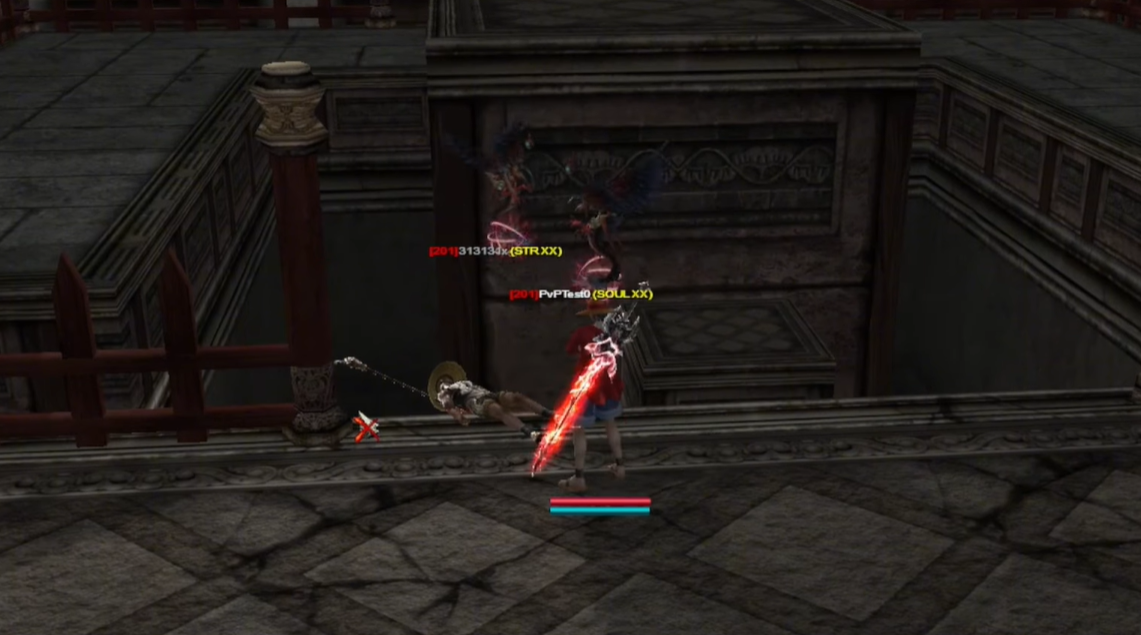
Lobby Shortcut Card
If you minimize the main lobby window, a shortcut card stays on screen showing ready status and empty slots — so you can keep playing the game without losing track of your lobby.
If lobby settings change while minimized, the card flashes briefly instead of forcing the full window back open.
As the Rise of Chaos team, we built Chaos Arena to give 12 Sky 2 the kind of structured, customisable duel system the game has never had. Keep supporting us, Real Warriors.